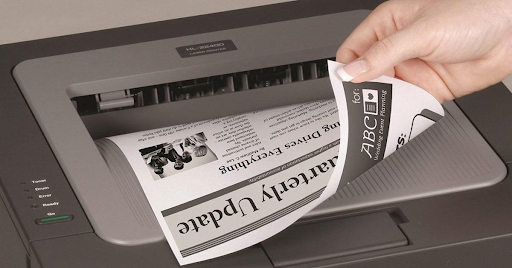
How to Save Paper in Office by Using a Photocopier Machine
- Offix Business Centre Sdn Bhd
- 5 days ago
- 2 min read
In today’s business environment, reducing operating cost and supporting environmental sustainability are important goals for every company. One of the easiest ways to achieve both is by saving paper in the office.
With the right settings and proper use of a modern photocopier machine, your company can significantly reduce paper waste, lower expenses, and improve efficiency.
In this article, we will share practical ways to save paper in office by using your photocopier machine wisely.
1. Use Duplex (Double-Sided) Printing
Most modern photocopiers such as Fuji Xerox ApeosPort C2560, Ricoh MPC3504, and Canon imageRUNNER C3530 come with automatic duplex printing.
Double-sided printing can reduce paper usage by up to 50%.
Why enable duplex printing?
Less paper consumption
Lower paper purchasing cost
Reduced storage space
More professional-looking documents
💡 Tip: Set duplex printing as the default setting in your office to ensure everyone uses it automatically.

2. Print Multiple Pages on One Sheet (N-up Printing)
N-up printing allows you to print 2, 4, or even 8 pages onto a single sheet of paper.
This feature is useful for:
Internal reports
Meeting handouts
Training materials
Draft documents
Instead of printing a 20-page draft, you can print 4 pages per sheet and reduce paper usage by 75%.
3. Use Scan-to-Email Instead of Printing
Many offices print documents just to scan and send them again. This wastes paper unnecessarily.
Modern multifunction photocopiers support:
Scan to email
Scan to folder
Scan to USB
Cloud storage integration
By going digital, you:
Reduce paper waste
Speed up document sharing
Improve document security
Encourage your team to scan and share digital files instead of printing physical copies.

4. Preview Before Printing
One common reason for paper waste is printing the wrong format, extra blank pages, or incorrect layout.
Always:
Use print preview
Check margins and layout
Confirm page numbers
Remove unnecessary pages
A simple preview can prevent reprinting and reduce paper waste.
5. Use Draft Mode for Internal Documents
For internal use, you don’t always need high-quality print mode.
Switching to:
Draft mode
Toner saving mode
Black & white instead of color
This not only saves toner but also encourages more responsible printing behavior.
6. Track and Control Printing Usage
Many advanced photocopiers provide:
User ID login
Print tracking system
Department usage report
When employees know their printing is monitored, unnecessary printing reduces significantly.
This helps management:
Control cost
Identify waste
Improve efficiency
7. Store Documents Digitally
Instead of printing and filing documents physically:
Save as PDF
Use shared folders
Use cloud storage
Archive digitally
Digital storage reduces paper dependency and makes document retrieval faster.

Benefits of Saving Paper in Office
Saving paper is not just about cost. It also:
✅ Reduces environmental impact✅ Improves corporate image✅ Lowers monthly operating cost✅ Enhances office efficiency✅ Supports ESG initiatives
Companies that actively reduce paper usage are seen as more responsible and professional.
Conclusion
A photocopier machine is not just a printing device. When used properly, it becomes a powerful tool to reduce paper waste, cut operational costs, and support sustainability.
By enabling duplex printing, using scan-to-email features, and encouraging digital workflows, your office can significantly reduce paper consumption without affecting productivity.
If your current machine does not support these features, upgrading to a modern multifunction copier may help your company save more in the long term.


Comments